Guidelines + FAQs
Showing your work is a big deal. It’s exciting, a little nerve-wracking and one of the most rewarding parts of being an artist or designer at ECU.
We’ve pulled together everything you need to help things go smoothly: guidelines, resources, tips and answers to questions you didn’t even know you had.
Exhibitions Guidelines
All exhibitions must follow these guidelines:
| Stick to the Approved Plan | Your exhibition must match what was approved. Any changes must be cleared with the Exhibitions Office or may be removed. |
| Ensure Safety | Your work and materials must not pose any health or safety hazards. This also applies to the materials used in the work’s production. Unsafe works may be modified or removed. |
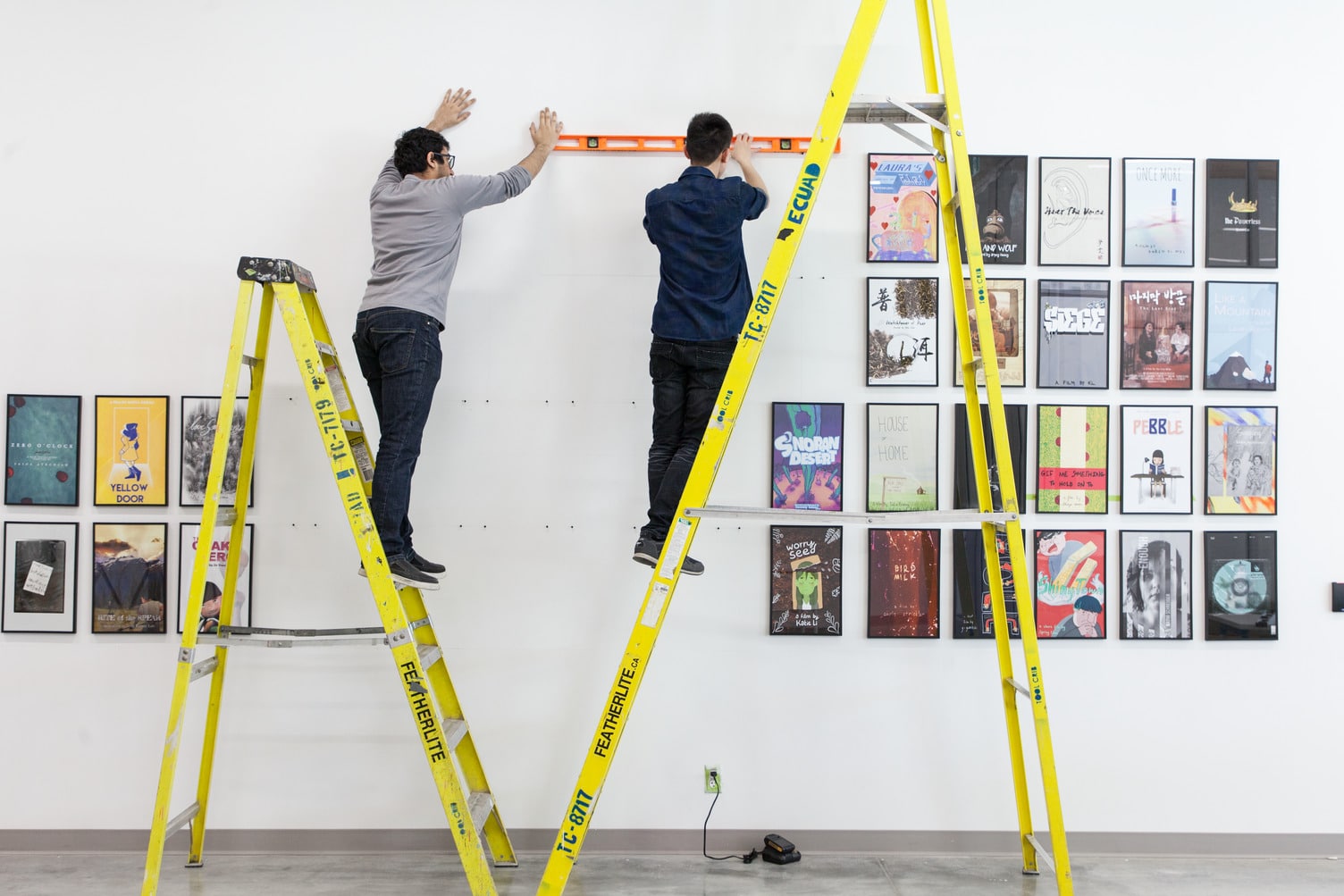
| Use Approved Materials | Only approved installation materials are permitted. Refer to How to Install Your Work for details. |
| Secure your Equipment | You are responsible for borrowing any equipment (e.g. computers, monitors, speakers) from Media Resources or Information Technology Services. Request at least one week in advance. The Exhibitions Department does not supply or book equipment. For help, speak with the Exhibitions Office. |
| Find your Furniture | Exhibitors are responsible for requesting and/or locating their exhibition furniture, including plinths and display tables, before installation. The Libby Leshgold Gallery does not supply these. |
| Request Support Early | Support requests (e.g., scissor lift, install help, Media or Technical Services) must be made at least two weeks in advance. Last-minute requests cannot be guaranteed. |
| ECU is not Liable for the Artwork | The university is not responsible for theft or damage to work on display in any space. |
| Leave Space as you Found It | You must fully de-install and restore the space, including repainting, by the final day of your booking. There are no exceptions. See FAQ for How to Install + Uninstall your Work below. |
Critique Guidelines
Review these guidelines to install your work safely and respectfully. Learn what ECU expects, what you’re responsible for, and how to avoid having your work removed.
- Unauthorized installations will be removed at the student’s expense
- Be respectful when installing artwork—do not move others’ work without checking with the Scheduling Office
- The university is not responsible for lost, stolen, or damaged work, including issues from equipment failure
- Stairwells must stay clear for safety. Work placed there may be removed, and conduct policies may apply
- Read How to Install and Uninstall Your Work before setting up
Tips, Resources + Frequently Asked Questions
Tips + Resources for First-time Exhibitors
Putting your work out there might feel daunting, but you’re not alone! Here are some great tips on getting started:
- Exhibitions Office. Have questions about spaces or install logistics? Email us.
- Writing Centre. Get support with proposals, artist statements, and more at the Writing Centre.
- Student Services. Not sure where to start? Student Services can help guide you.
- Students’ Union. Visit them on Level 2 next to The Caf, or explore online.
How to Write an Exhibition Proposal
All exhibition submissions require a written proposal. A strong proposal clearly explains your concept and how the space will be used. Be sure to include:
- Exhibition title, your name, and contact info for key organizers
- Curatorial statement outlining the concept and goals of the exhibition
- List of participants and how their work contributes to the concept
- Images of work, with titles, dimensions and media (include sketches for works in progress)
- Plan for space use, including layout, equipment needs and installation details
Looking for more support? The Writing Centre can help you draft or refine your proposal, and additional proposal-writing resources may be available on ecuad.ca—search “exhibition proposal.”
How to Install and Uninstall Your Work
To help you install safely and professionally, follow our How to Install Your Work guide (PDF).
After your show, you must fully restore the space. Here’s how:
Uninstall + Repair
- Remove all fasteners (nails, screws, tacks, etc.)
- Push in any protruding drywall around holes
- Use a palette knife to fill holes with wall filler, scraping off excess
- For deeper damage (scores/gouges), apply extra filler, let dry, then sand flat
- Sand any textured paint or pencil marks
- Remove all adhesives (tape, vinyl, etc.)
Painting
- Lay down a drop cloth to protect the floor
- Use the correct type of white paint—ask your Studio Technician which one
- Wipe up paint drips right away with a wet rag
- Some colours may need multiple coats
Clean Up
- Clean your brush thoroughly
- Sweep and dispose of drywall dust
- Return all borrowed tools and supplies
Remember: you’re responsible for completing all repairs and painting by the end of your exhibition dates. Studio Technicians can provide guidance, and supplies are available through the Media Resources Centre.
How long can I book a space for?
Exhibitions typically run for 10 to 14 days, which includes one day for installation and another for de-installation.
Critique spaces are typically bookable during class time to a maximum of 3 days in selected spaces.
What should I consider when planning my exhibition?
To choose the right space and setup for your exhibit, think about:
Environment + Lighting
- Do you need natural light, darkness, or silence?
- What kind of lighting will best support your work?
- Do you need paint? Paint is available from the Libby Leshgold Gallery. Contact: exhibitions@ecuad.ca.
Power + Equipment Needs
- Do you need access to electrical outlets or A/V equipment?
- Will you be hiding or managing any wires or cables?
- Will your equipment be secure from theft? Can you lock it?
Furniture + Display
- Will you bring your own furniture or use existing plinths/tables on campus?
- Are you hanging anything from the ceiling? Do you need help or gear?
- Do you need a plinth? Artists must supply their plinths; no central storage is available.
Tech Setup
- Where will the monitor, mouse, and other devices go? Will cords reach?
- Will you need a mouse pad or extra surface space?
Can I get a liquor license for my exhibition opening?
Depending on the location and time, exhibition organizers may be able to obtain a liquor license. Please contact the Exhibitions Office for more information.
How do I get my exhibition on the Urban Screen, in the Glass Corner or the Libby Leshgold Gallery?
The Libby Leshgold Gallery and its project spaces (Urban Screen and Glass Corner) are publicly funded and professionally curated. Exhibitions and events are by invitation only.
Unsolicited submissions are not reviewed. For programming info, contact the Libby Leshgold Gallery.
Can my exhibition include electronics or computer installation?
Yes. Whether your work involves special lighting, electronics or a computer, your setup must be safe, secure, ventilated and dry. Keep controls simple and accessible (but protected from public interference) and include clear instructions. Set up your exhibition completely (including accessories like cords, power bars, and headphones) before requesting technical or computer support. Unsafe installations must be modified or removed.