After You’re Accepted
Congratulations on your acceptance to Emily Carr University of Art + Design!
Now that you’ve been accepted, there are a couple of key steps to secure your spot and prepare for your first semester. This page will guide you through paying your admission deposit and setting up your student account.

1. Pay Your Admission Deposit
Save your spot at ECU by paying your deposit before the deadline listed in your offer of admission. The fee is $1,500 for Canadian citizens and permanent residents, and $5,000 for international students on a study permit.
Paying with a Canadian Bank Account
There are three ways to pay with a Canadian bank account.
- Add Emily Carr University as a new bill payee in your online or mobile banking. Then, you can send your tuition deposit as a bill payment.
- Pay with your debit card at the ECU campus.
- Mail us a cheque or money order payable to Emily Carr University.
Paying from Outside Canada
Use PayMyTuition to send money globally from your bank account or payment card in your home currency to Emily Carr University.
2. Send Us Your Official Transcript(s)
If you’ve only provided in-progress or unofficial academic transcript(s), you’ll need to submit your final and official transcripts to confirm your offer before the deadline listed in your offer of admission.
Any significant changes in your academic standing may result in your offer being reassessed.
Please have your previous institution(s) send your documents in a secure electronic format to masters@ecuad.ca or by mail from your institution to ATTN: Graduate Studies, Office 520, East 1st Ave. Vancouver, B.C., V5T 0H2.

3. International Students: Get Your Study Permit
International students must have a study permit. You need to be admitted to ECU and receive your letter of admission from ECU before you can apply for a study permit.
https://www.canada.ca/en/immigration-refugees-citizenship/services/study-canada.htmlYou can apply for your study permit as soon as you are admitted to ECU, receive your ECU letter of admission, pay your deposit and receive a second letter from ECU for study permit application purposes. Visit the Immigration, Refugees & Citizenship Canada (IRCC) website for information.
Explore our International Student Guide for details on study permits and much more.
4. Set-up Your MyEC Account
+ Student Email
Be sure to access your ECU email and your student account on MyEC.
How to Access Your Email Account and MyEC
First, go to your student account, which is called MyEC at myec.ecuad.ca. This is where you will maintain your contact information, check your grades and more.
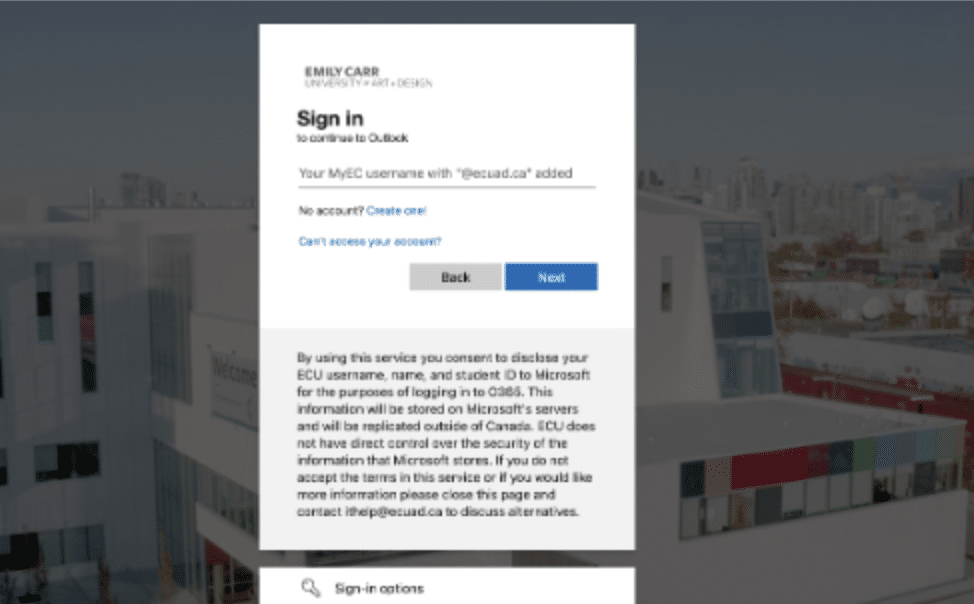
Login with your Emily Carr University email, which is your username followed by @ecuad.ca and your MyEC password.
- If you don’t know this information you can also sign in with the “e” followed by your student ID number and followed by @ecuad.ca. Example: “e0123456@ecuad.ca”
- The first time you login, your birthday and ID number will be the temporary password. The format is MMDDYYYY#0123456. For example, if your birthday is July 4, 1991, and your ID number is #0012345, your temporary password will be Ju041991#0012345. This is case sensitive, so only the first letter is capitalized. NOTE: If your account was created before June 17, 2024, your initial password will be MMDDYYYY ex: Ju041991
- If this is your first time signing in please give it 24 hours after receiving your offer letter.
Using Alternate Email Software
If you want to use alternate email client software (like Apple Mail or Outlook) find out how to set up your account.