Online Booking
Shops + Studios are now taking online bookings for work sessions.
First time booking in? Contact the area technician for an initial consultation.

How to Book Shops + Studios Online
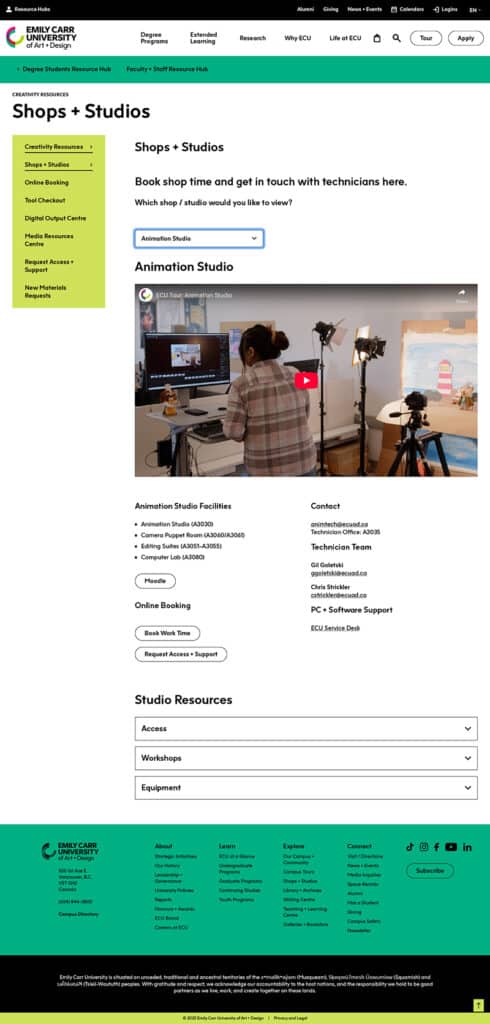
1. Navigate to the Production Area Page
Once you are on the Shops + Studios page (in the Creativity Resources section of your Resource Hub), navigate to the production area that you would like to book into, and click on the booking button found under Online Booking.
2. Review Booking Options
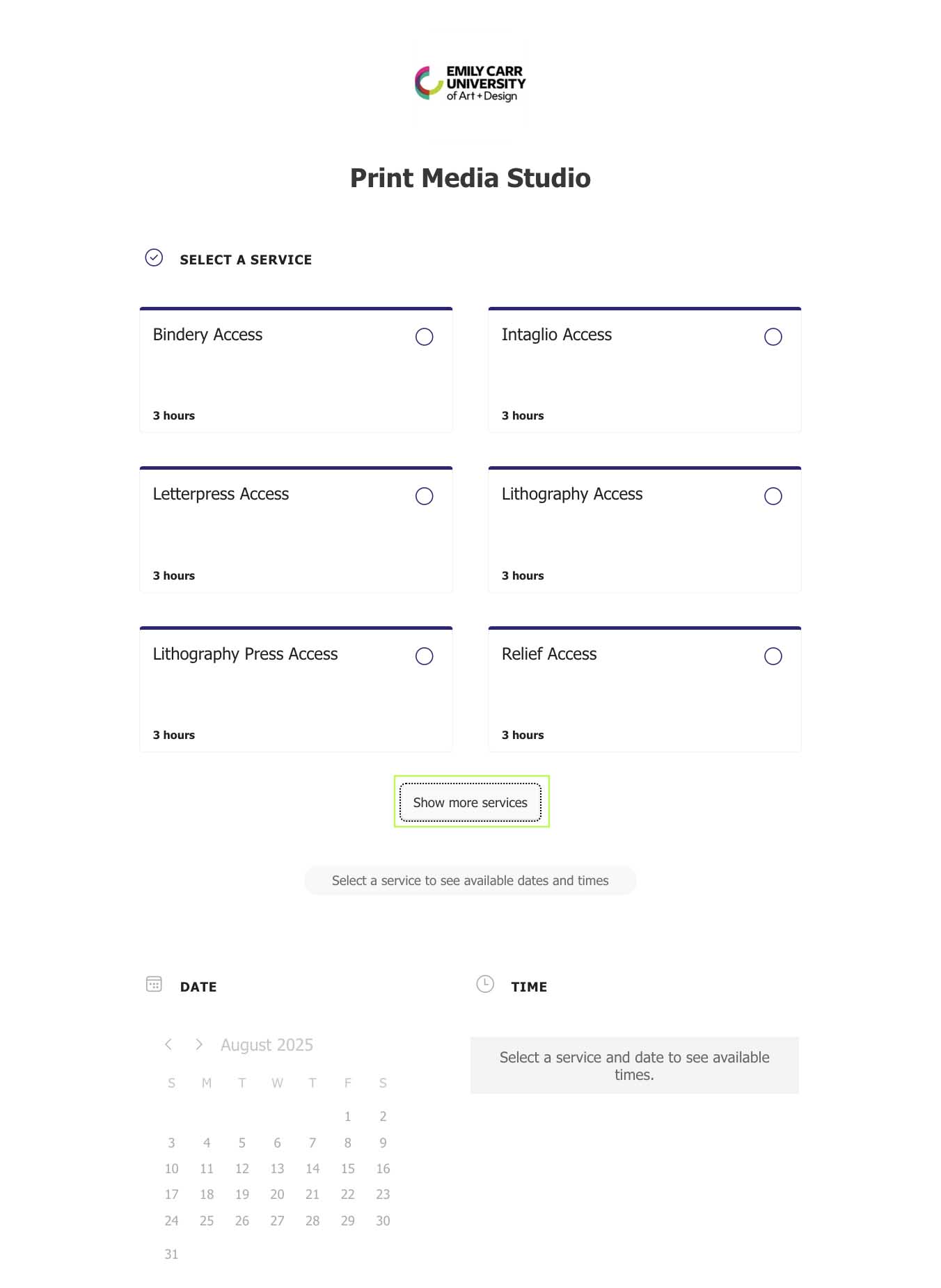
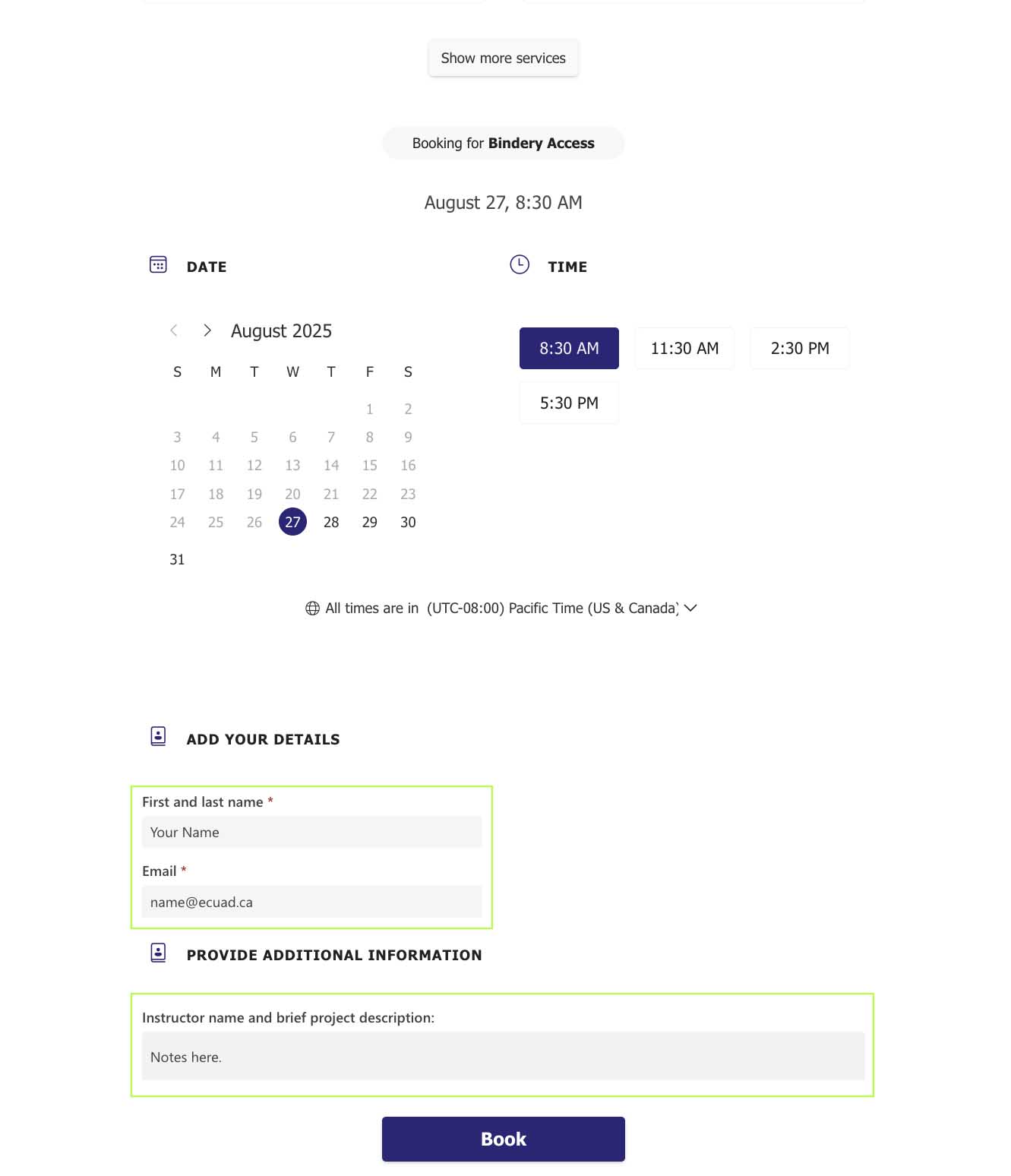
Once you are on the booking page, find the service or area you want to book. If you aren’t finding what you need, select “Show more services” to see the full list.
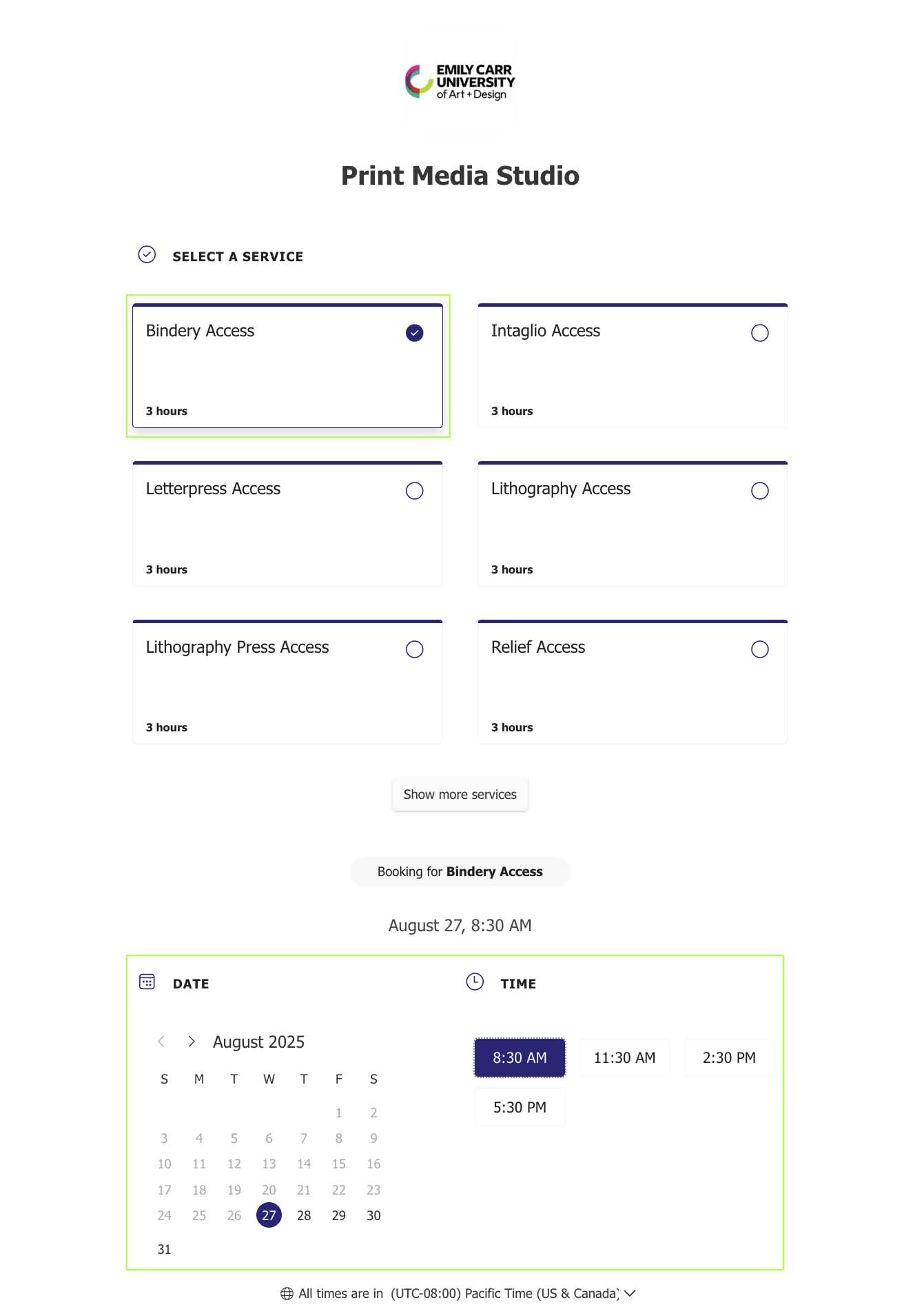
3. Select Service, Day and Time
Select the service, date and time for your booking.
4. Enter Name, Email and Any Notes
Enter your name, ECU email address and fill out any additional fields. Select “Book”.
5. Booking Confirmed
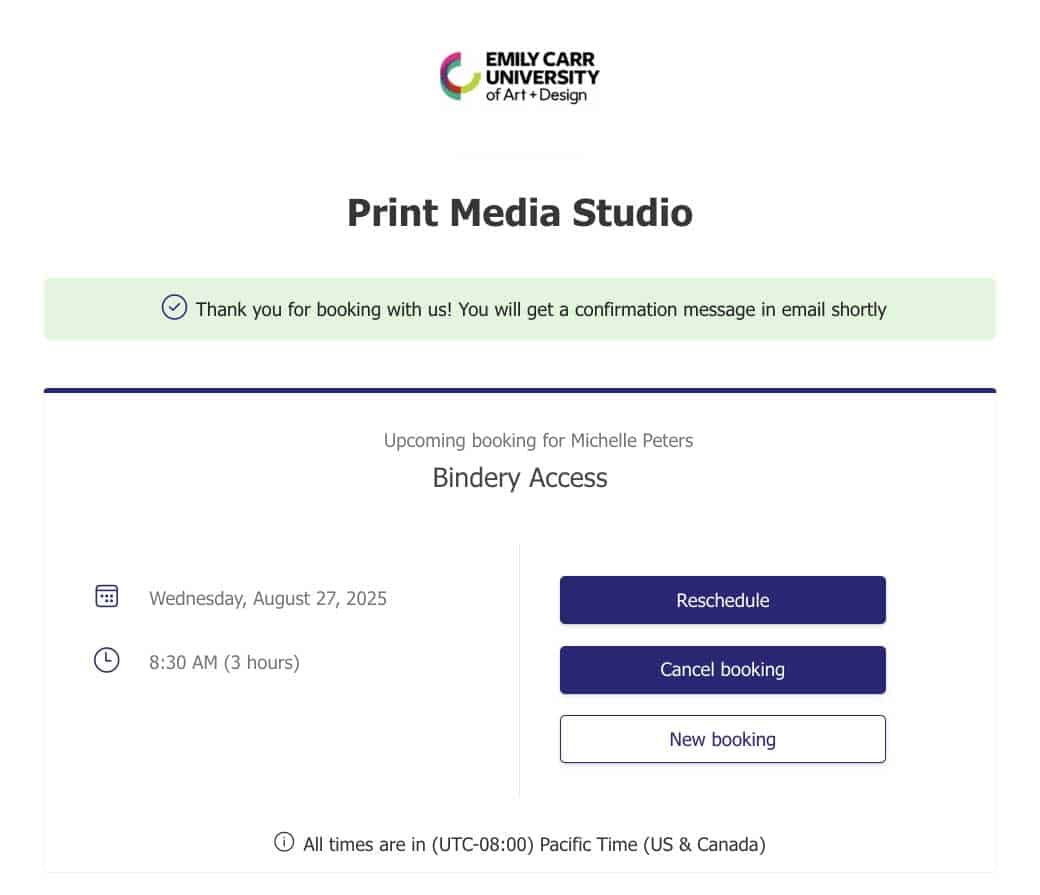
You’ll see your booking confirmation on the next screen. From here you can reschedule, cancel or make another booking.
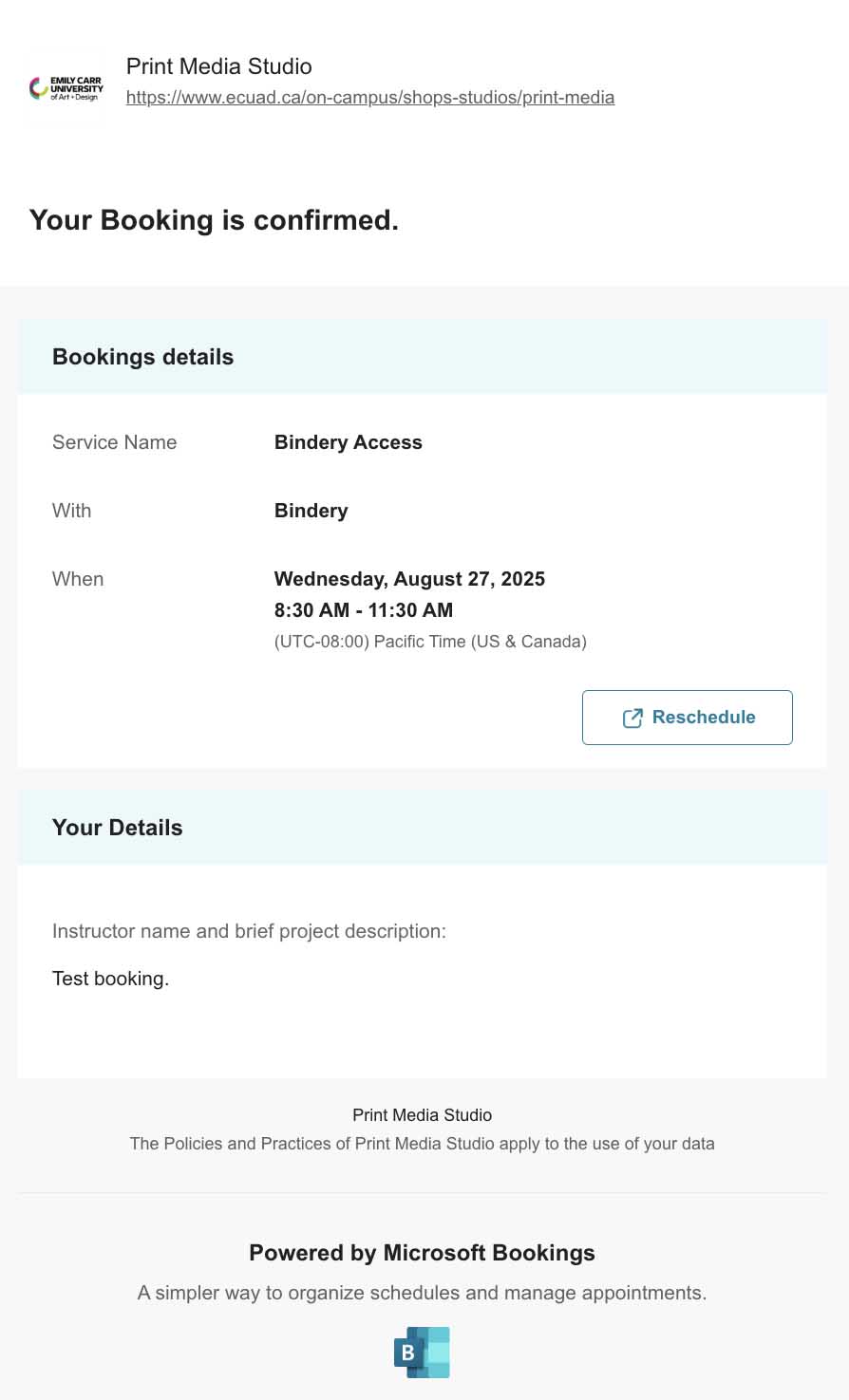
6. Email Confirmation of Booking
You’ll receive a booking confirmation in your email. From here you can also reschedule if needed.